SabiBom logoSabiBom

The SabiBom workspace

The everyday operating system for a growing business.

SabiBom brings your business signals into one calm, practical workspace. See what is happening, keep your records organized, and move from a question to an action faster.

01

Understand the day

Sales, orders, alerts, and reporting periods are visible from the dashboard.

02

Keep control

Products, stock levels, prices, customer records, and balances stay organized.

03

Act faster

Ask Sabi a question, dictate an action, or start creating a sale when you need to.

Inside the app

See the work, not just the feature list

Every screen is built around a real business question: what sold, what needs attention, what is in stock, and who needs a follow-up?

01 · See the business clearly

A smart dashboard for the decisions that matter today

Start with a focused view of sales, orders, alerts, and business activity instead of piecing the story together from notebooks and scattered messages.

  • Switch between Today, This Week, and This Month.
  • See sales totals and order counts at a glance.
  • Spot urgent attention items such as expired products.

SabiBom smart dashboard showing sales, orders, alerts, and the main business navigation.

02 · Stay ahead of stock

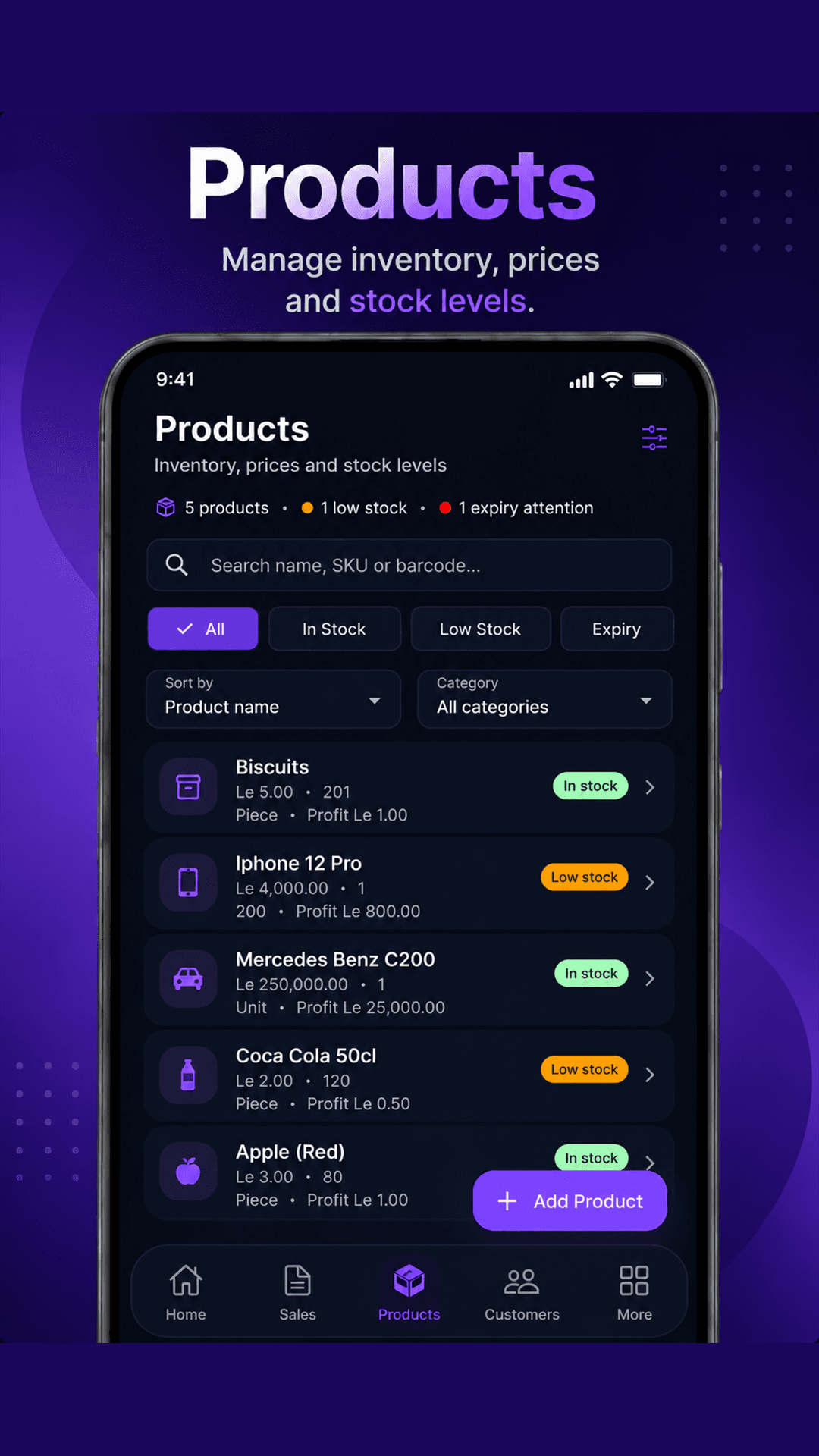
Products, prices, profit, and stock in one working view

SabiBom helps owners keep an eye on what is available, what is running low, and which products need expiry attention while they manage their catalog.

  • Search by product name, SKU, or barcode.
  • Filter by in-stock, low-stock, and expiry status.
  • Review prices, quantities, units, and profit values before adding products.
SabiBom products screen showing inventory search, stock filters, prices, quantities, and profit values.

03 · Know your customers

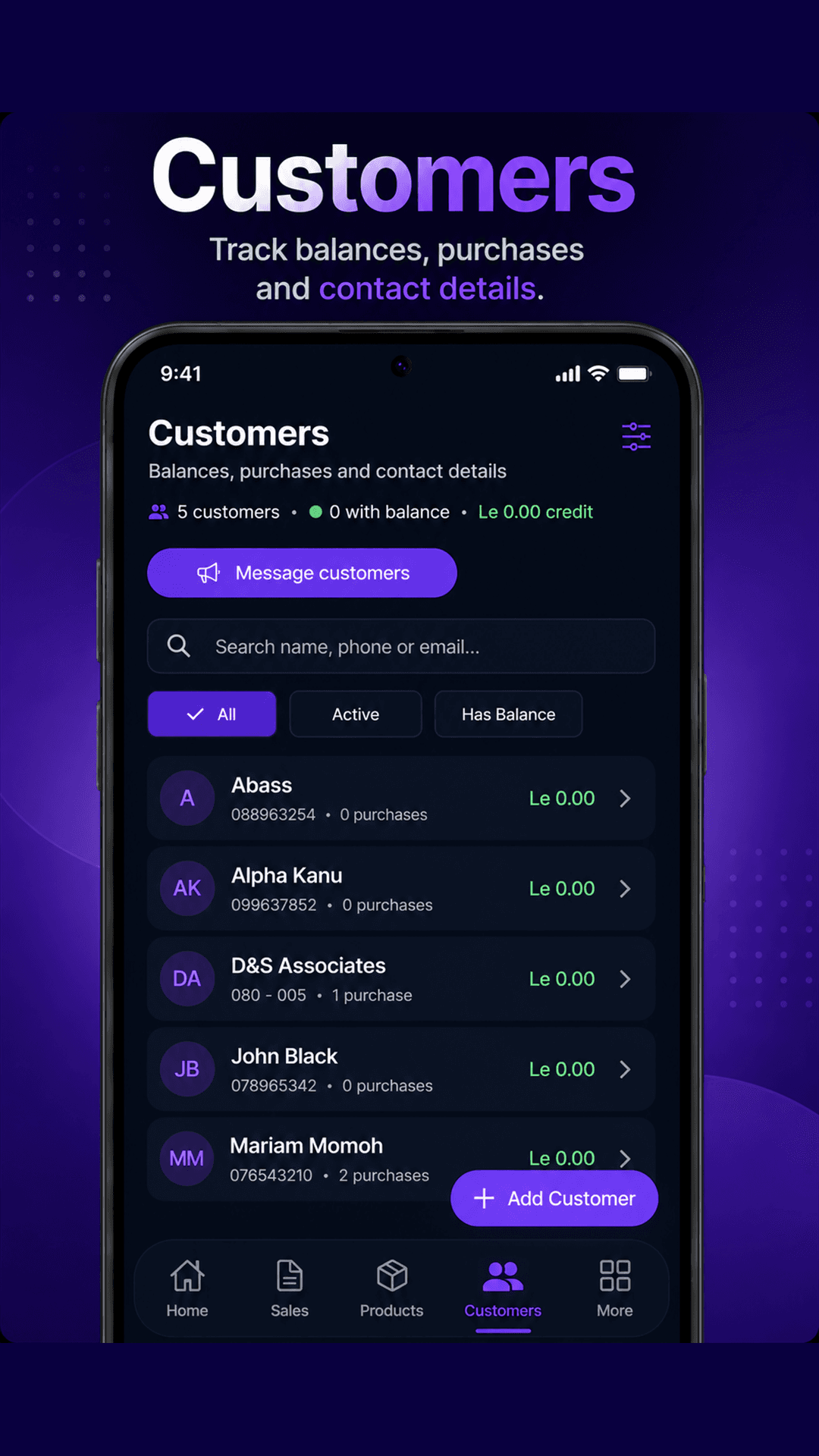
Keep customer history and balances close to every sale

Build a practical customer record with contact details, purchase history, and balances so follow-up is easier and relationships do not live only in memory.

  • Search by name, phone number, or email.
  • Filter active customers and customers with balances.
  • View purchases, credit totals, and message customers from the same workspace.
SabiBom customer management screen showing customer search, balance filters, purchase counts, and messaging.

04 · Ask Sabi

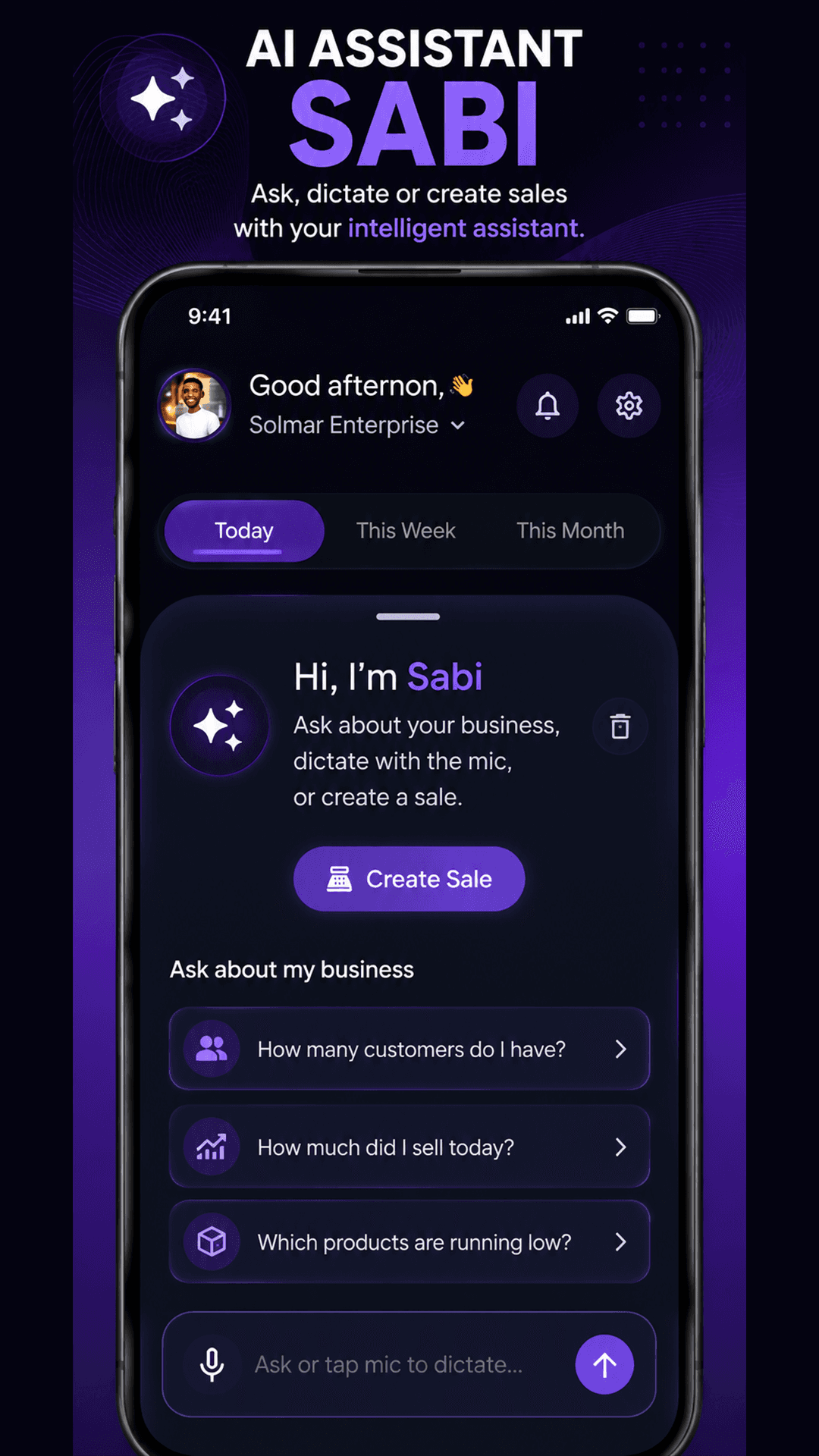
An intelligent assistant for questions, dictation, and sales

Sabi gives business owners a faster way to ask about the business, dictate an action, or start creating a sale without leaving the app’s operating flow.

  • Ask how many customers you have or how much you sold today.
  • Ask which products are running low.
  • Use the microphone to dictate or open the Create Sale flow.
SabiBom Sabi AI assistant screen showing business questions, microphone dictation, and Create Sale action.

More of the foundation

A practical toolkit behind the main screens

The core app views are supported by the tools businesses need to keep daily operations moving.

Sales and receipts

Create, track, share, and print receipts while keeping sales activity organized.

Expenses and payments

Record the money moving through the business so daily operations are easier to review.

Business analytics

Use reporting periods and business activity views to make decisions with more context.

Team and staff management

Give the people supporting your business the right operational context and access.

Cloud backup and sync

Keep business records available across supported sessions instead of relying on one device.

Business setup

Bring products, services, staff, and business profile details into one operational workspace.

A closer look

SabiBom in the flow of business

Explore the app views that help owners move from awareness to action without unnecessary complexity.

SabiBom app showing voice receipt flow on a mobile phone beside a receipt printer.

Voice receipt creation

Create receipts quickly with voice-guided input and printing support.

SabiBom smart dashboard showing sales and alerts on a mobile phone.

Smart dashboard

Monitor sales, orders, alerts, and business activity from one focused home screen.

SabiBom customer management screen showing customer balances and purchase history.

Customer management

Track customer activity, balances, purchases, and contact details in one place.

SabiBom Sabi AI assistant screen with business questions and Create Sale action.

Sabi AI assistant

Ask business questions, dictate with the microphone, or start creating a sale.

Built for the way you work

Spend less time reconstructing the business.

SabiBom keeps the important details close so you can serve customers, protect stock, and make the next decision with confidence.

Join the beta